Overview
The Service Summary is designed to streamline your workflow, making it easier than ever to manage patient assessments. With everything you need in one place, you can focus on providing the best care without the hassle of navigating multiple pages.
How it Works
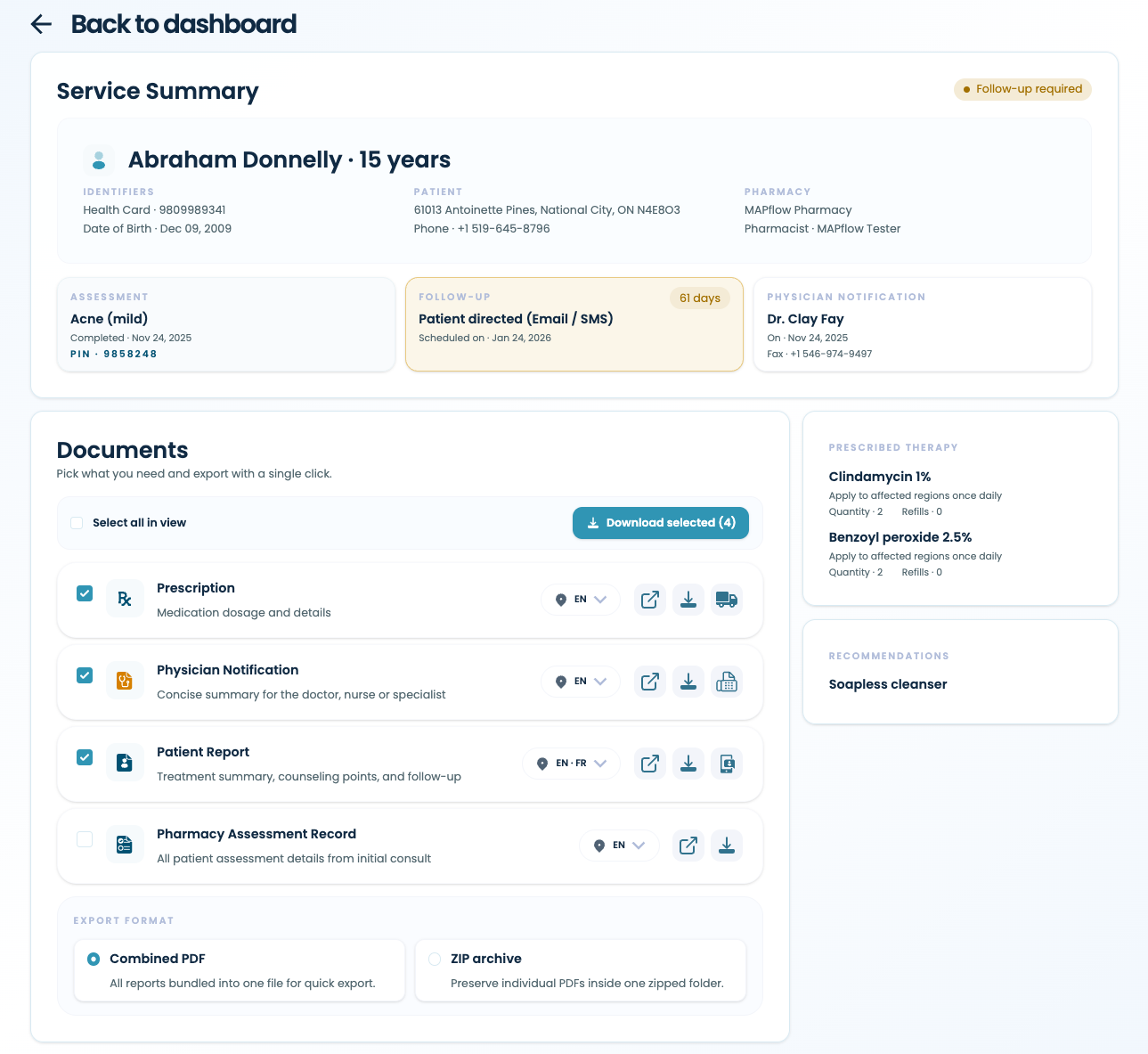
When you land on the Service Summary, you can see all important details about your assessment at a glance. The top section shows patient identifiers, assessment details with billing PIN (if applicable), follow-up schedule and the notified care provider. The sidebar displays prescribed and recommended therapies for quick reference.
The feature on this page you’ll use the most is the Documents panel in the center, which gives you one-click access to all reports with inline actions.
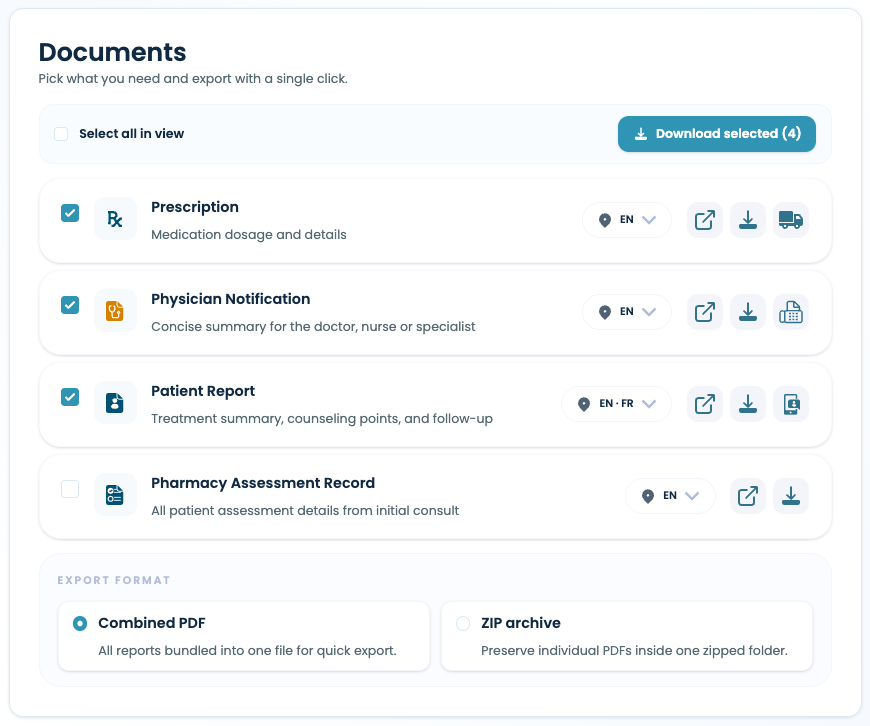
The Documents panel puts all your document actions in one place. Check what you need, choose your language preference for each document, and use the inline buttons to preview, download, send to patients, fax to physicians, or deliver prescriptions. Your document selections are saved automatically, so next time you'll start with your usual setup already selected.
Manage multiple documents at once using the export feature directly underneath the reports. Select which reports you need, then download a combined PDF for easy printing, or a ZIP file with individual PDFs for archiving.
How to Access
The Service Summary is live for all MAPflow users, no updates needed. Finish your next assessment to see it in action, or open it anytime from your assessment table via "Open service summary."